
Here are 5 Layouts that You Can Make with Flexbox
Learn how to use Flexbox to create common layouts and challenges that you will face in designing a responsive website design.

Jennifer Bland
The CSS Flexible Box Layout — Flexbox — provides a simple solution to the design and layout problems designers and developers have faced with CSS. Let me show you how to use it to generate some common layouts and challenges that you will face in designing a responsive website design. I assume you already know the basis of Flexbox. If not there are many documents teaching you about Flexbox. I would recommend Understanding Flexbox: Everything you need to know.
Here is What We Will Be Making
In this article, I am going to show you how to make 7 different layouts using FlexBox.
- Navigation
- Center image on the screen
- Responsive website layout
- AddOn for an input field
- 3 column layout
Get The Code
All of the examples that I am going to show can be downloaded from my GitHub account. The code for every example is just HTML and CSS. I have created a master homepage that provides a link to every example that we are going to cover. 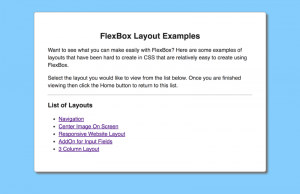
Navigation
Every website has a navigation. Using Flexbox you can create a navigation that has your company name on the left and menu items on the right.  To accomplish this layout in CSS, you would have to use floats to get some content to appear on the left and the rest of the content to appear on the right. With FlexBox you have to specify a flex container that contains the navigation. The company name on the left is a flex item within this container. The menu items on the right are their own flex container with a
<ul>
containing all the menu items. Here is the html for the navigation:
<nav class="flexContainer blueBackground">
    <ul class="nav flexItem flexStart">
        <li><a href="#">Company Name</a></li>
    </ul>
    <ul class="nav flexContainer flexEnd">
        <li><a href="#">Home</a></li>
        <li><a href="#">Products</a></li>
        <li><a href="#">About</a></li>
        <li><a href="#">Careers</a></li>
        <li><a href="#">Contact</a></li>
    </ul>
</nav>
Here is the CSS for the navigation:
.flexContainer {
    display: flex;
}
.flexItem {
    flex: 1;
}
.flexStart {
    justify-content: flex-start;
}
.flexEnd {
    justify-content: flex-end;
}
.blueBackground {
    background: lightskyblue;
}
.nav {
    list-style: none;
}
.nav a {
    text-decoration: none;
    display: block;
    padding: 0 1em;
    color: white;
}
Center Image on Screen
Many websites include a full-size image. Usually, this image contains text that is centered on the screen.  The challenge is styling the image so that it fits full page regardless of whether you are viewing this on a widescreen monitor, laptop, tablet or phone and have the CSS remain centered on the screen. Flexbox makes it easy to do this. To mimic text centered on the screen I have included a button Here is the html to center an image on the screen:
<div class="flexContainer flexCenter itemCenter fullHeight centerImage">
    <div class="flexContainer flexCenter itemCenter fullHeight">
        <a href="index.html" class="homeButton">Return Home</a>
    </div>
</div>
Here is the css to center an image on the screen:
.flexContainer {
    display: flex;
}
.flexCenter {
    justify-content: center;
}
.fullHeight {
    height: 100vh;
}
.itemCenter {
    align-items: center;
}
.fullHeight {
    height: 100vh;
}
.centerImage {
    background: url('images/ocean.jpg') center;
    background-size: cover;
}
Responsive Website Layout
Almost every website has the same layout which contains a navigation across the top and a footer at the bottom. In between there are 3 columns consisting or a right and left sidebar and the main content area. Generally the main content area takes up 60% of the width of the screen and the two sidebars are allocated 20% of the screen each. 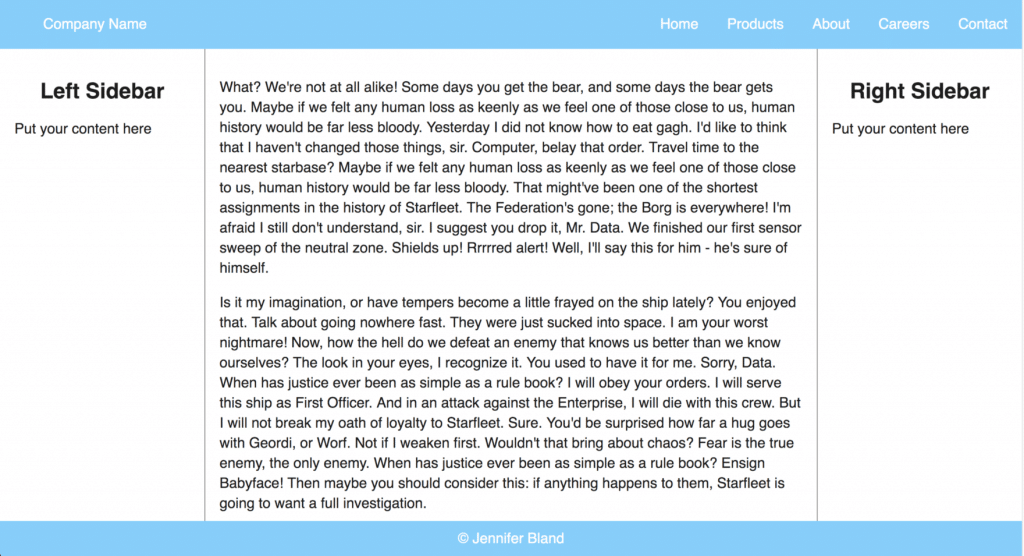 The challenge for creating a responsive website is having the footer stay at the bottom of the page regardless of how much content is displayed. The content area should scroll if there is more than can be displayed on the page. Here is the html for the responsive website layout:
<div class="flexContainer flexColumn fullHeight whiteBackground">
<nav class="flexContainer blueBackground">
<ul class="nav flexItem flexStart">
<li><a href="#">Company Name</a></li>
</ul>
<ul class="nav flexContainer flexEnd">
<li><a href="#">Home</a></li>
<li><a href="#">Products</a></li>
<li><a href="#">About</a></li>
<li><a href="#">Careers</a></li>
<li><a href="#">Contact</a></li>
</ul>
</nav>
<div class="flexContainer flexItem">
<main class="flexItem whiteBackground main">
<p>Put Content Here</p>
<a href="index.html" class="homeButton">Return Home</a>
</div>
</main>
<aside class="sidebar sidebarLeft">
<h2>Left Sidebar</h2>
<p>Put your content here</p>
</aside>
<aside class="sidebar sidebarRight">
<h2>Right Sidebar</h2>
<p>Put your content here</p>
</aside>
</div>
<footer class="flexContainer flexCenter blueBackground whiteText height50">© Jennifer Bland</footer>
</div>
Here is the css code for the responsive website layout:
.flexContainer {
    display: flex;
}
.flexItem {
    flex: 1;
}
.flexColumn {
    flex-direction: column;
}
.fullHeight {
    height: 100vh;
}
.whiteBackground {
    background: white;
}
.blueBackground {
    background: lightskyblue;
}
.main{
    order: 2;
    padding: 20px;
    border-left: 1px solid #777777;
    border-right: 1px solid #777777;
}
.sidebar {
    width: 20%;
    background: white;
    padding: 20px;
}
.sidebarLeft{
    order: 1;
}
.sidebarRight{
    order: 3;
}
AddOn for Input Field
To improve your user experience, many designers prefer to put images or text in their input fields. This provides the user with directions on what should be included in the field. 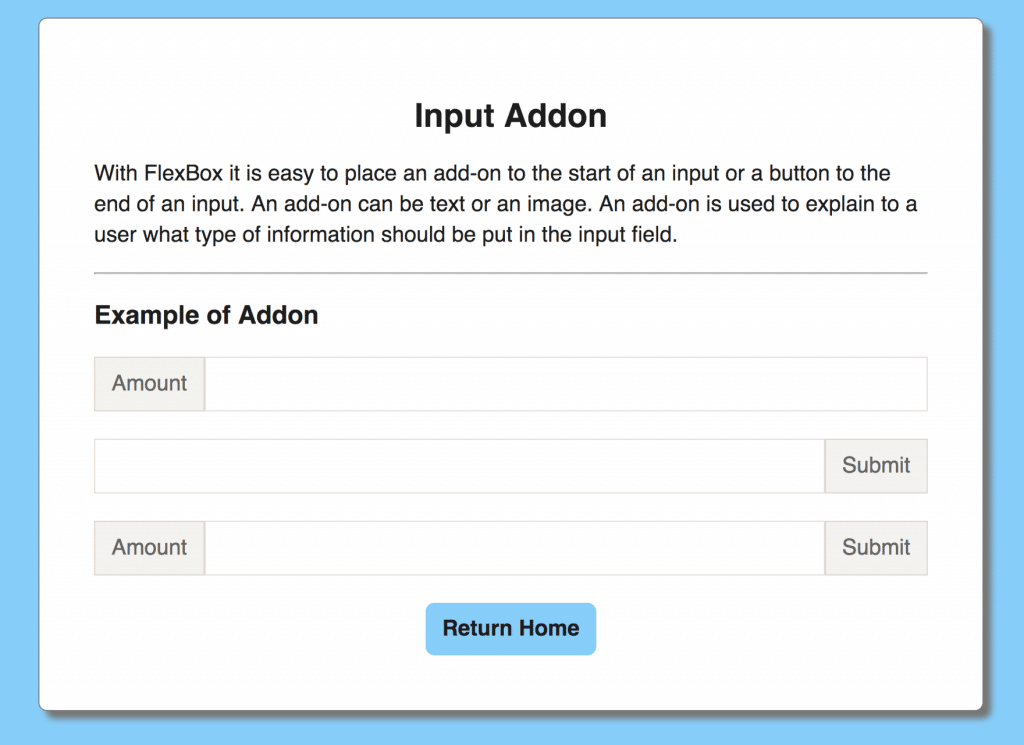 With traditional CSS that was very challenging and required you to use a table format to insert something before or after an input field. With Flexbox it is much easier. Here is the html code for the addon for input fields:
<div class="container">
    <h2>Input Addon</h2>
    <p>With FlexBox it is easy to place an add-on to the start of an input or
        a button to the end of an input. An add-on can be text or an image. An add-on
        is used to explain to a user what type of information should be put in the
        input field.</p>
    <hr>
    <h3>Example of Addon</h3>

    <div class="flexContainer marginBottom">
        <span class="entry">Amount</span>
        <input class="flexItem">
    </div>
    <div class="flexContainer marginBottom">
        <input class="flexItem">
        <button class="entry">Submit</button>
    </div>
    <div class="flexContainer marginBottom">
        <span class="entry">Amount</span>
        <input class="flexItem">
        <button class="entry">Submit</button>
    </div>

    <div class="flexContainer flexCenter itemCenter">
        <a href="index.html" class="homeButton">Return Home</a>
    </div>

</div>
Here is the css code for addon for input field:
.container {
    width: 60%;
    margin: 50px auto;
    background: white;
    border-radius: 8px;
    padding: 50px; 25px;
    border: 1px solid gray;
    box-shadow: 7px 7px 7px #777777;
}
.flexContainer {
    display: flex;
}
.flexItem {
    flex: 1;
}
.marginBottom {
    margin-bottom: 25px;
}
.entry {
    border: 1px solid rgba(147, 128, 108, 0.25);
    padding: 0.5em 0.75em;
    background-color: rgba(147, 128, 108, 0.1);
    color: #666666;
}
3 Column Layout
It is very common for websites to include a 3 column layout on the screen. 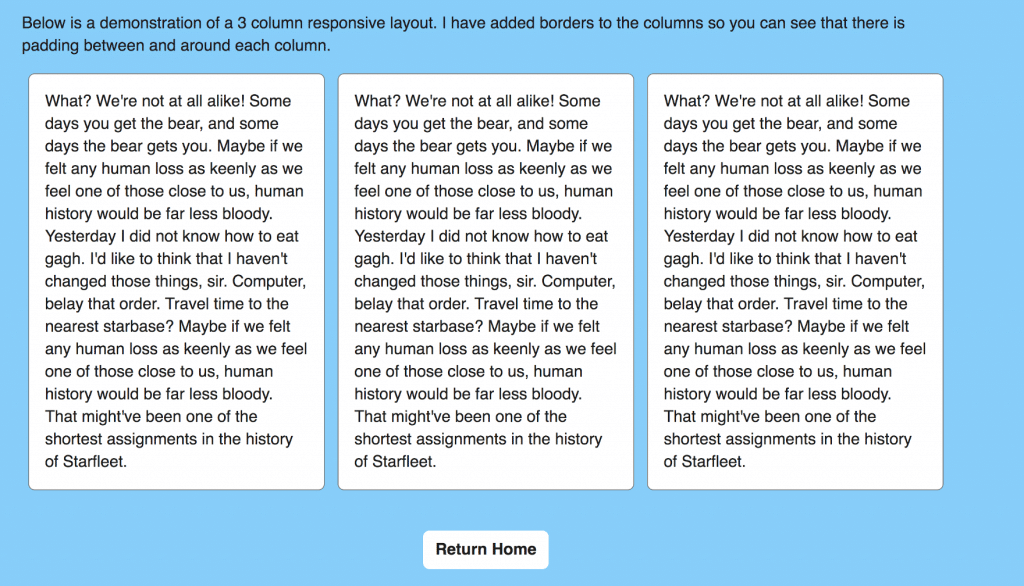 Here is the html for a 3 column layout:
<p>Below is a demonstration of a 3 column responsive layout. I have added borders to the columns so you can see that there is padding between and around each column.</p>
<div class="flexContainer flexSpaceAround">
    <div class="col">
What? We're not at all alike! Some days you get the bear, and some days the bear gets you. Maybe if we felt any human loss as keenly as we feel one of those close to us, human history would be far less bloody. Yesterday I did not know how to eat gagh. I'd like to think that I haven't changed those things, sir. Computer, belay that order. Travel time to the nearest starbase? Maybe if we felt any human loss as keenly as we feel one of those close to us, human history would be far less bloody. That might've been one of the shortest assignments in the history of Starfleet.                </div>
    <div class="col">
What? We're not at all alike! Some days you get the bear, and some days the bear gets you. Maybe if we felt any human loss as keenly as we feel one of those close to us, human history would be far less bloody. Yesterday I did not know how to eat gagh. I'd like to think that I haven't changed those things, sir. Computer, belay that order. Travel time to the nearest starbase? Maybe if we felt any human loss as keenly as we feel one of those close to us, human history would be far less bloody. That might've been one of the shortest assignments in the history of Starfleet.                </div>
    <div class="col">
What? We're not at all alike! Some days you get the bear, and some days the bear gets you. Maybe if we felt any human loss as keenly as we feel one of those close to us, human history would be far less bloody. Yesterday I did not know how to eat gagh. I'd like to think that I haven't changed those things, sir. Computer, belay that order. Travel time to the nearest starbase? Maybe if we felt any human loss as keenly as we feel one of those close to us, human history would be far less bloody. That might've been one of the shortest assignments in the history of Starfleet.                </div>
</div>
Here is the css for the 3 column layout:
.flexContainer {
    display: flex;
}
.flexSpaceAround {
    justify-content: space-around;
}
.subContainer {
    width: 80%;
    margin: 0 auto;
}
.col {
    width: 32%;
    border: 1px solid #777777;
    border-radius: 8px;
    background: white;
    padding: 20px;
}
Hardhat vs Truffle - Which is Better for Writing Smart Contracts?
Learn how to compare Hardhat and Truffle to determine which is better for writing smart contracts.
Here's How Yuga Labs Land Sales Cost Almost $100 Million in Wasted Gas Fees for Users
Learn how Yuga Labs land sales cost almost $100 million in wasted gas fees for users.