
First Impressions Count - Why Doesn't Your Github Repo Have a README File?
Learn how to create a README file for your Github repo to make a good impression to potential employers.

Jennifer Bland
You only get one chance to make a positive first impression. For software engineers, the README file in your Github repo is your one chance to make a good impression to potential employers. Is your README file leaving the wrong impression?
The Most Important Code Isn’t Code
Your README file is the most important part of your Github Repo. When people visit your repo, the first thing they will do is look at your README file. If your readme file does not define what your code does, then most users will just skip right over it. In other words, you failed at your chance of making a positive first impression.
What Makes a Good README file?
A good README file should include the following two items.
Description
The description tells visitors exactly what your code does. It does not have to be an epic description that is on par with the length of War and Peace. Instead it should be precise in describing the features found in your code. I would recommend using short sentences in your description. You can use a bulleted list if you want. Lengthwise it should be between 3–7 sentences long coupled into 1–2 paragraphs.
How to Install
If people want to use your code, then they will need to know how to install it. Does your code need dependencies? If so include them here. Do you have to run install script using npm, bower or grunt? If so include them here. Github markdown gives you the option to highlight code. I suggest you use this to provide the exact steps needed to install your code.
Making your README file Great
With a little bit of effort you can make a great README file. A great README file would include most of the following items.
Technology Stack and Versions
This section will cover all the dependencies required to run your code. For example, if you relied on functions in Lodash version 3 that no longer exist in Lodash version 4, you should include notice here. Tell people what is the version your support for all your dependencies.
Live Demonstration
Before I go through the process of forking, cloning and installing your repo, it would be great if I could just click on a link to actually see it working. It is easy to upload your code to free sites like Heroku, Azure or Cloud9. Provide a link in your README file so people can click on the link and see your code in action. Make sure to put the link also in the website field in the description of your repo.
Contributing Guidelines
Most code is Open Source if it is available on Github. Visitors to your repo might have suggestions on how to improve your code. They may want to report a problem with the code. Provide detailed instructions on how they can do both of these items.
License
If you are releasing your code as Open Source, you need to provide a license. The license will tell users what they can and cannot do with your code.
Screenshots
It is easy to create screenshots showing your code in use. You can create a folder called screenshots that you commit to your Github repo. You can then link to these screenshot images in your README file.
Authors & Contributors
If many people were responsible for creating the code, list their names here. If possible I would include links — twitter, github, website, email — to how you can reach each author. If somebody contributed to the source code, list their names here.
Table of Contents
Github Markup language allows you to create links to sections in the README file. The Table of Contents provides the outline of the contents of your README file. Visitors can click on any entry in the Table of Contents and go to that section of the README file.
Testing
Most users are weary of using open source code if the author(s) do not include tests. Without tests there is no verification that the code actually works. The testing section of the README file describes what tests you have created and how to run them.
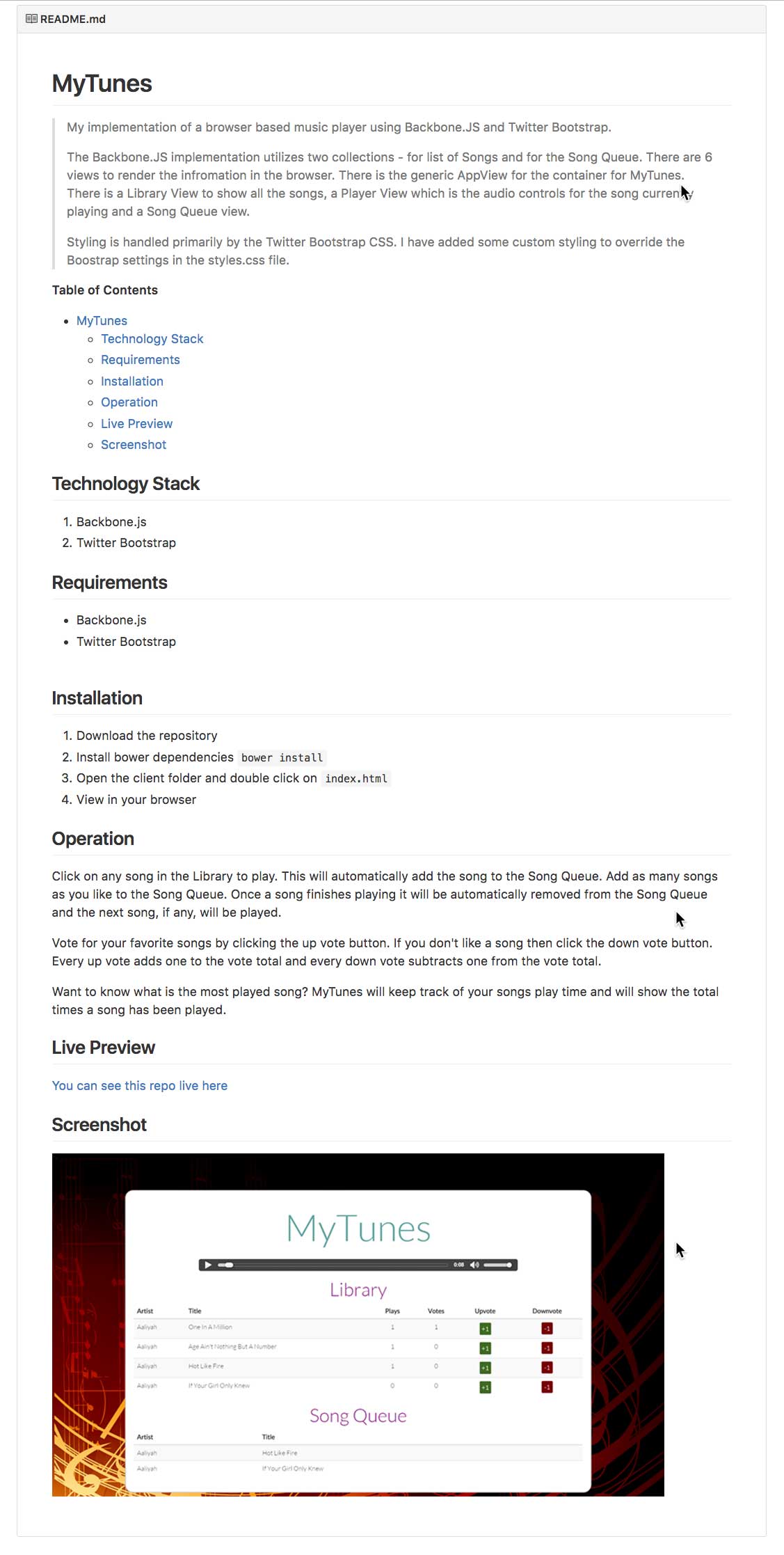
Example of a Great README File
Example Using EJS Templating in Node.js Application
Learn how to use EJS templating in a Node.js application.
Grid to List Toggle Using Flexbox
Learn how to create a toggle to display items in a grid from a list. This will be using basic JavaScript skills with no external code or libraries. We will be using Flexbox.